- Grocery stores
- General stores
- Fashion and clothing
- Shoe shops
POS systems for shops and retail stores
POS systems for retail stores, groceries, fashion, specialist shops and other outlets. Fast sales, stock, barcodes and sales reporting in one place.
Choose a POS systemA POS system for everyday selling
A shop register has to be fast for staff while keeping the product range under control. The right solution connects sales, barcodes, stock and stocktaking without repeated data entry.
A small shop can start with a simple setup, while a large range benefits from stronger hardware, a scanner and more advanced stock work. Loyalty functions are available in selected systems.
Which stores are these POS systems suitable for?
- Drugstores
- Cosmetics retail
- Florists
- Pet supplies
- Hardware stores
- Electrical stores
- Bike shops
- Specialist retail stores
What can a retail POS system make easier?
Fast sales
Clear product buttons and suitable hardware shorten everyday work at the till.
Barcodes
A scanner reads labelled goods without manual searching and reduces entry errors.
Stock and stocktaking
Stock records help monitor quantities and prepare regular stocktaking.
Sales overview
The POS system keeps sales records and provides an overview of store results.
Discounts and loyal customers
Selected systems support loyalty and discount functions for repeat purchases.
More selling points
A larger operation can choose a solution with an overview across registers, depending on the system.
How to choose a POS system for a store
Small shop
A simple touchscreen or compact register with basic stock and optional printing is often suitable.
Store with a larger range
Barcodes, clear stock, stocktaking and enough performance for daily use become important.
Busy or larger store
Consider fast hardware, a customer display, cash drawer, user permissions and multiple registers.
Mobile or supplementary sales
A mobile device or portable register with a printer may suit seasonal or supplementary selling.
EET 2.0 in practice
EET 2.0 for shops and retail stores
Customers in a physical shop usually pay during the purchase. Business income received in cash and contact payments such as card or QR payments made at the till are recorded. Cash is recorded even without personal contact.
The POS system should send the data automatically. A shop with a suitable existing register does not automatically need new hardware; software support for EET 2.0 will be decisive.
Regular operation and standard recording of actual sales start on 1 January 2027, while January is also a pilot period. Stores with an online shop must distinguish remote payment from contact payment on personal collection.
Complete guide to EET 2.0 Which payments are recorded in EET 2.0? EET 2.0 for online shops: which payments are recorded?Which retail payments may be recorded?
| Situation | EET 2.0 recording |
|---|---|
| Cash at the till | typically YES |
| Card payment at the till | typically YES |
| QR payment made in the store | typically YES |
| Payment when collecting an online order in person | depends on the method; an in-person payment is typically YES |
| Online payment made fully remotely in advance | typically NO if it is not an in-person payment |
| Invoice paid later by bank transfer | typically NO |
The actual payment method is decisive under the wording of EET 2.0 approved by Parliament.
Physical shop and online shop
For an online order, the place where it originated is not the only factor. A fully remote advance payment differs from an in-person payment when goods are collected.
The main EET 2.0 guide explains payment types and the current rules in more detail.
Complete guide to EET 2.0POS systems suitable for shops and stores
Current AWIS and PEXESO setups are complemented by mobile CIONTEK for smaller or supplementary sales.


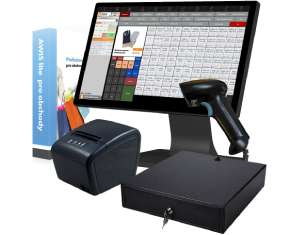
A powerful All-in-One touchscreen register with AWIS pre-installed is ready for busy retail stores. Fast storage and ample memory support reliable everyday operation.


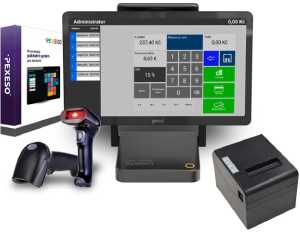
An All-in-One PC running Android with the unlimited PEXESO POS system is a striking design element, and its performance covers larger venues too. It also comes with an 80 mm thermal receipt printer, a scanner and a cash drawer.
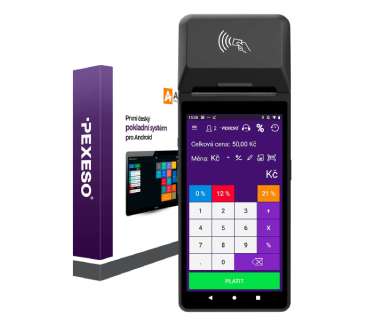
The CIONTEK mobile touch register with the PEXESO Calculator software prints receipts on its built-in thermal printer, scans codes with the camera and accepts card payments via GPTom and Viva Wallet.
Accessories for retail
A barcode scanner, customer display and payment solution adapt the setup to the needs of a particular shop.
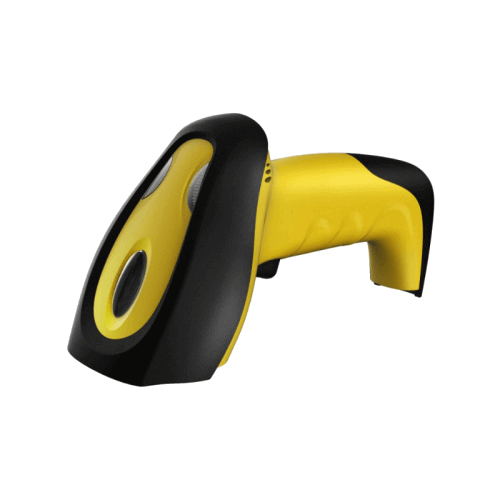
barcode scanner
Lets you scan all your products easily. Nothing has to be typed in by hand, which saves time and rules out entering the wrong item.
Price: 890 Kč
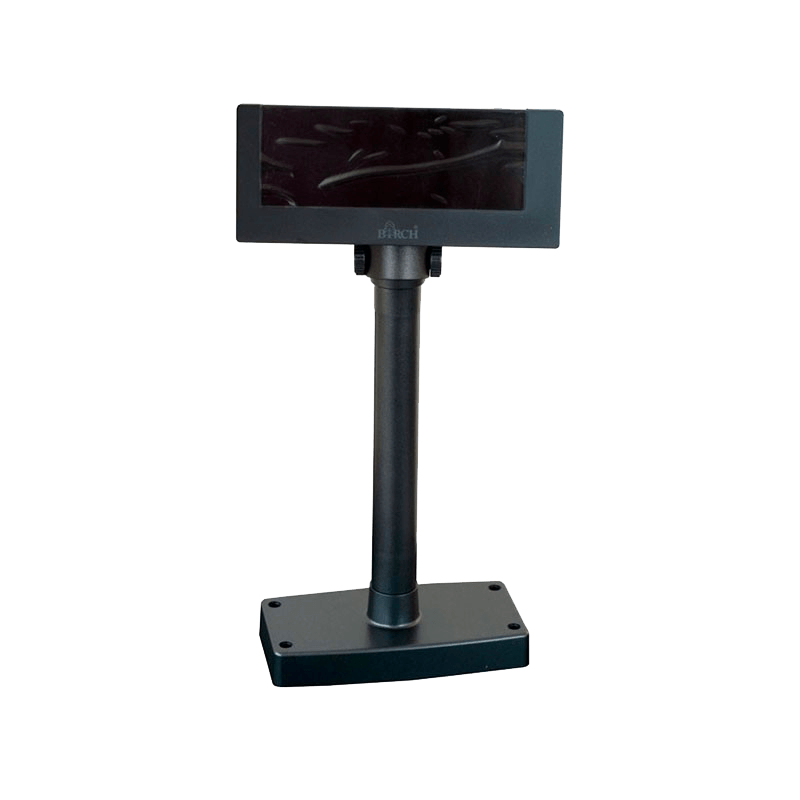
customer display
Can be connected to the desktop POS system for Windows. The computer stays behind the counter and the customer still sees the items being charged.
Price: 1,990 Kč
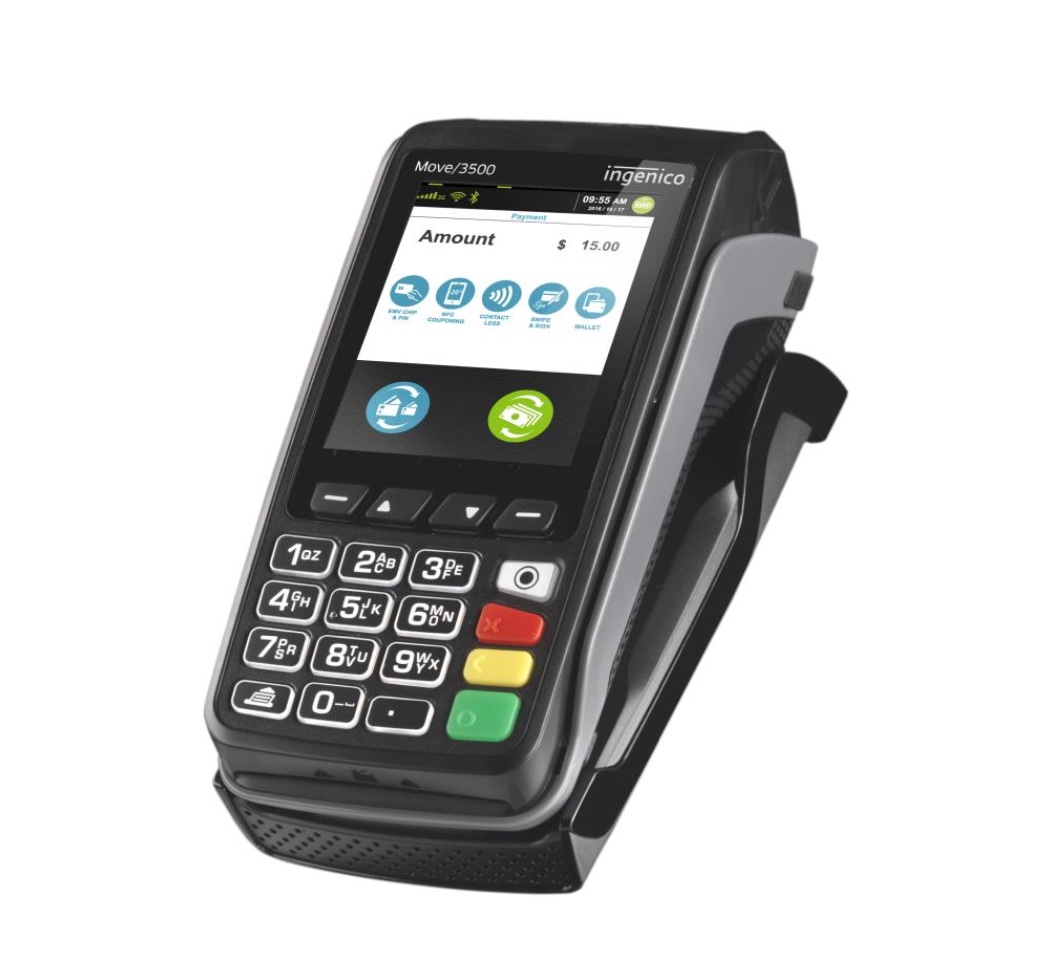
payment terminals
Card payments keep growing – terminals from ČSOB, Global Payments and VivaWallet let you accept them. Getting one is free of charge.
Price: 0 Kč
Frequently asked retail questions about POS systems and EET 2.0
Which register should I choose for a small shop?
A compact touchscreen register is often enough for a small range. For labelled goods, add a barcode scanner and stock management.
Do I need a barcode scanner?
Not in every shop, but it speeds up sales and reduces item selection errors with a larger range.
Can the POS handle stock and stocktaking?
AWIS and PEXESO provide stock functions; choose the appropriate system version for the needs of your store.
Does EET 2.0 apply to physical shops?
Yes, if a shop receives qualifying business income in cash or as contact payments and no statutory exemption applies. Standard recording of actual sales starts on 1 January 2027, while January is also a pilot period.
Are card payments recorded?
A card payment made directly at the till is typically recorded as a contact payment.
Are QR payments recorded?
A QR payment made directly in the shop is typically recorded as a contact payment.
What about an online order collected in person?
The payment method matters. A fully remote advance payment differs from an in-person payment made on collection.
Must I buy a new register for EET?
Not automatically. What matters is whether your current hardware and software support EET 2.0.
A POS system matched to your range and operation
Tell us what you sell and how large your range is. We will recommend a suitable setup and accessories.
Ask for adviceNeed advice on a POS system for your store?
Describe your shop and sales workflow. We will prepare a practical recommendation.